For agencies preparing a Shopify update
Hand over the decision behind the CSV.
Your client should be able to see what changes before they import it. Here’s a complete supplier update, from two incoming prices to a reviewed file and its handoff brief.
Try this example in Catalog Relay
Fictional Cedar & Loom data. Free to review and export.
A
saved project stays yours; the example never replaces it.
Cedar & Loom
Linen pillow
Keep the product intact. Revise two prices.
| Variant | Shopify now | Reviewed |
|---|---|---|
| OatCL-PIL-OAT | 38.00 | 42.00Price revised |
| ClayCL-PIL-CLAY | 38.00 | 42.00Price revised |
| MossCL-PIL-MOSS | 38.00 | 38.00Kept unchanged |
Moss is absent from the supplier file. Its existing price and color stay in the update.
linen-pillowAll 3 color options retained
Two rows. Three colors.
The supplier has new prices for Oat and Clay. The Shopify baseline also has Moss. Match by exact SKU, review the complete product, then carry the absent variant forward.
SKU, product name and revised price. No row for Moss.
The current handle, prices and Color option values.
One reviewed Shopify update
Oat 42.00, Clay 42.00, Moss 38.00. The CSV keeps the handle and option identity shown above.
Download the exact resultThis result contains title, handle, SKU, price and option columns. Cost and vendor columns are omitted; unrelated store metadata is not copied into the file. Prices stay in the store’s currency, with no conversion.
Make the decision yourself.
The example opens at the actual product review. Nothing is approved for you.
Open the agency example-
Choose “Try the agency example”
The two practice files load only after that click. If you have a saved project, choose “Continue your project”; back it up and start fresh before trying these files.
-
Inspect Linen pillow
Check the two price changes from 38.00 to 42.00 and the notice that
CL-PIL-MOSSis absent. Its baseline variant is preserved. -
Approve the complete product
Select “Approve this product” on Linen pillow, then “Review export”. You should see one approved product and three output variant rows.
-
Download the CSV and the review brief
The approved update is for Shopify. The brief explains the decision; the review CSV accounts for both supplier rows. Keep all three together.
The deliverable
A handoff your client can check.
Give your client the exact update and the record behind it. These downloads were produced by Catalog Relay from the practice files above, after approving Linen pillow.
Three existing variants. Two revised prices. No new products.
Approved changes, the preserved SKU and import instructions. Opens in a browser, including offline.
Both supplier rows, their matched handle and their approval decision.
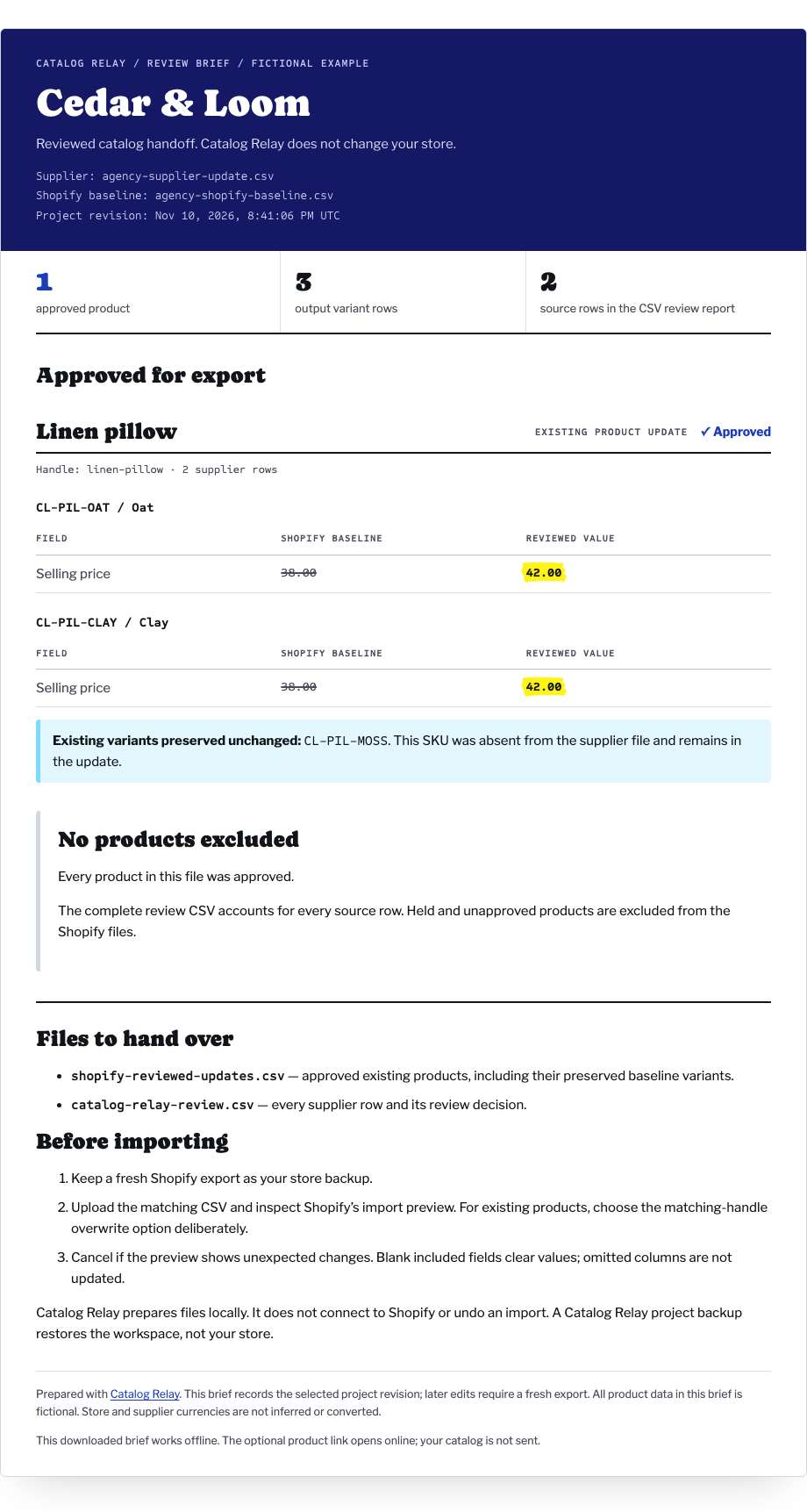
Keep the import deliberate.
Catalog Relay prepares files locally. It has no store connection and does not perform or undo the Shopify import.
Keep a fresh Shopify export and inspect the preview
For existing products, choose Shopify’s matching-handle overwrite option deliberately. Included blank fields can clear values; omitted columns are not updated. Preserve option names and values when updating variants. Cancel if the import preview differs from your reviewed decision. See Shopify’s product CSV guidance.
Use this file with Shopify’s native importer
Matrixify supports a broader workflow, including variant
UPDATE and MERGE commands. This example
exports Shopify-native CSV, without Matrixify commands or variant
IDs. It is not a Matrixify command file. See
Matrixify’s product documentation.
A project backup restores the workspace
It does not restore your store. Keep the supplier source, Shopify baseline and reviewed outputs with your client record. This worked example has been checked through file generation; a live Shopify import has not been tested.
Try the handoff with the real controls.
Up to 50 supplier rows per file are free. A $29 individual, one-time license unlocks larger files. Your files stay in your browser.